Chrome Extension  ·  Free forever

Take Better
Screenshots

Capture, beautify, annotate, and share — all from your browser. No servers, no uploads, 100% local.

Add to Chrome — Free View on GitHub
Snapz  ·  chrome-extension://snapz/editor.html
OrdersDenverMiamiPhoenixSeattleRow totals
Jan 2026528336197
Feb 20261270688314
Mar 20263111412050703
Apr 202659180193741,112
May 20261072082341041,239
Jun 202699109137100812
Grand totals5609201,1245676,396
Feb ↑ spike
Style
Annotate
PADDING
114px
BORDER RADIUS
12px
SHADOW
40%
INSET FRAME
40px
BACKGROUND
RATIO
Auto
4:3
16:9
1:1
100%
Local & Private
10+
Background Presets
6
Annotation Tools
0
Servers Involved

Capture. Beautify. Share.

Six powerful features, zero friction. Snapz turns raw screenshots into polished visuals in seconds.

📸

One-Click Capture

Capture the full tab or draw a region — straight from the Chrome toolbar. No desktop app, no scattered files.

Capture Region
Click toolbar icon or keyboard shortcut to capture any area instantly
⌘⇧S Shortcut
+ Export PNG
🎨

Beautiful Backgrounds

10 gradient presets, custom image upload, or pick any color from the screenshot itself. Mood set in one click.

Jan197
Feb314
Mar703
Background
+ Custom image
Upload…
+ Export PNG
✏️

Annotation Tools

Draw, add arrows, rectangles, text callouts, highlights, and zoom-lens magnifiers. Make the important parts unmissable.

OrdersDenverTotals
Jan5197
Feb12314
Mar31703
Total5606,396
Feb ↑
6.4k
Style
Annotate
T
+ Export PNG

Smart Styling

Tune padding, border radius, shadow depth, and inset frame with live sliders. Every adjustment updates instantly in the canvas.

Jan197
Feb314
No padding
Jan197
Feb314
With Snapz
Style
Annotate
Padding
114px
Border Radius
12px
Shadow
40%
+ Export PNG
🚀

Social-Ready Export

One-click ratio presets for Twitter, LinkedIn, and Instagram. Save your own named presets for your brand style.

𝕏 16:9
1600×900
in
1200×627
1080×1080
Ratio
Auto
16:9
1:1
Presets
● Clean
● Dark
+ Export PNG
🔒

100% Private by Design

Everything happens in your browser. No screenshots, no metadata, no telemetry ever touches a server. Not even ours. Open source and auditable.

🖥 Your Browser
Snapz lives here
Snapz
✓ 100% local
💾 Your Device
Downloads folder
✗ No server  ·  ✗ No upload  ·  ✗ No tracking  ·  ✗ No analytics

Raw → Remarkable

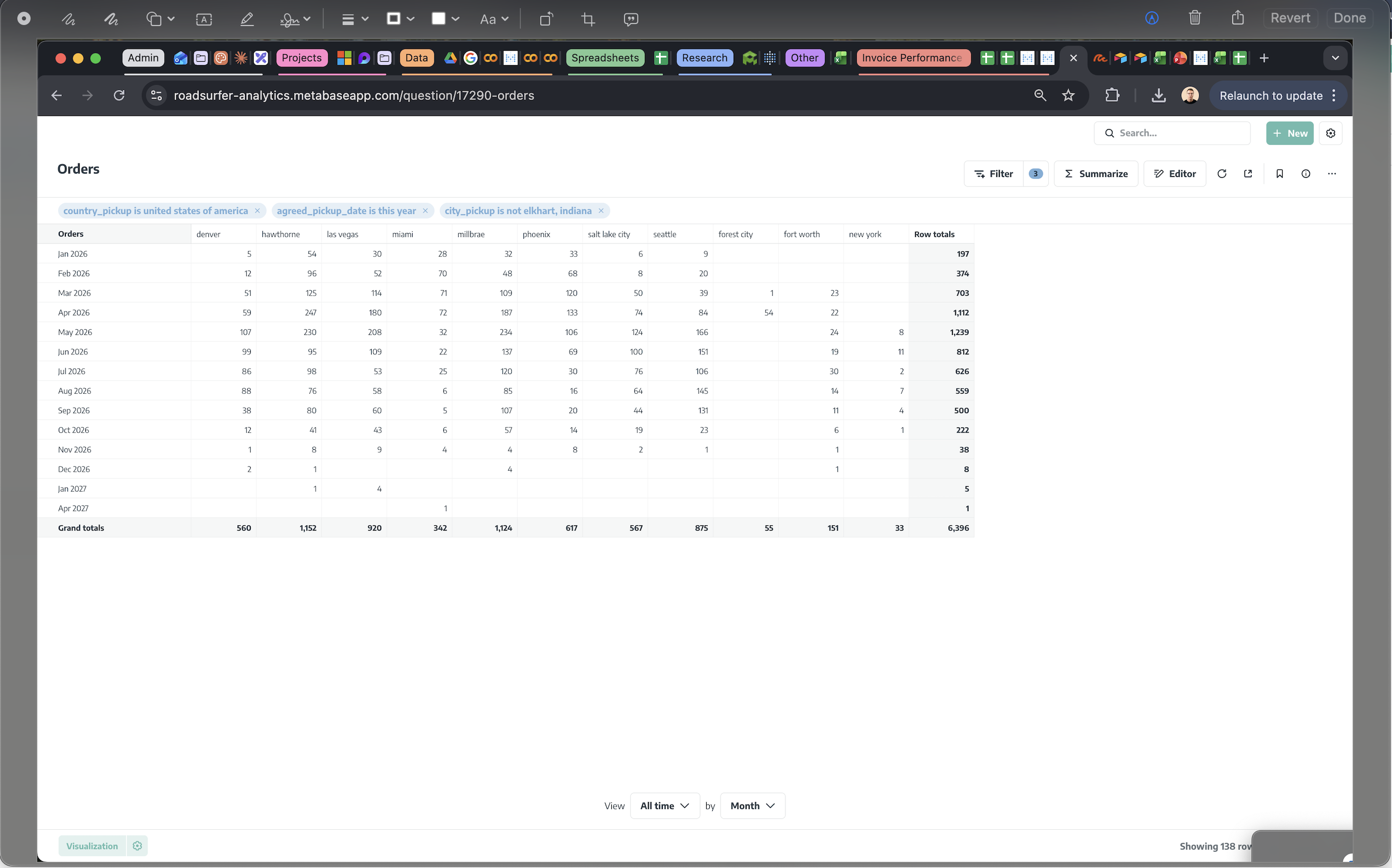
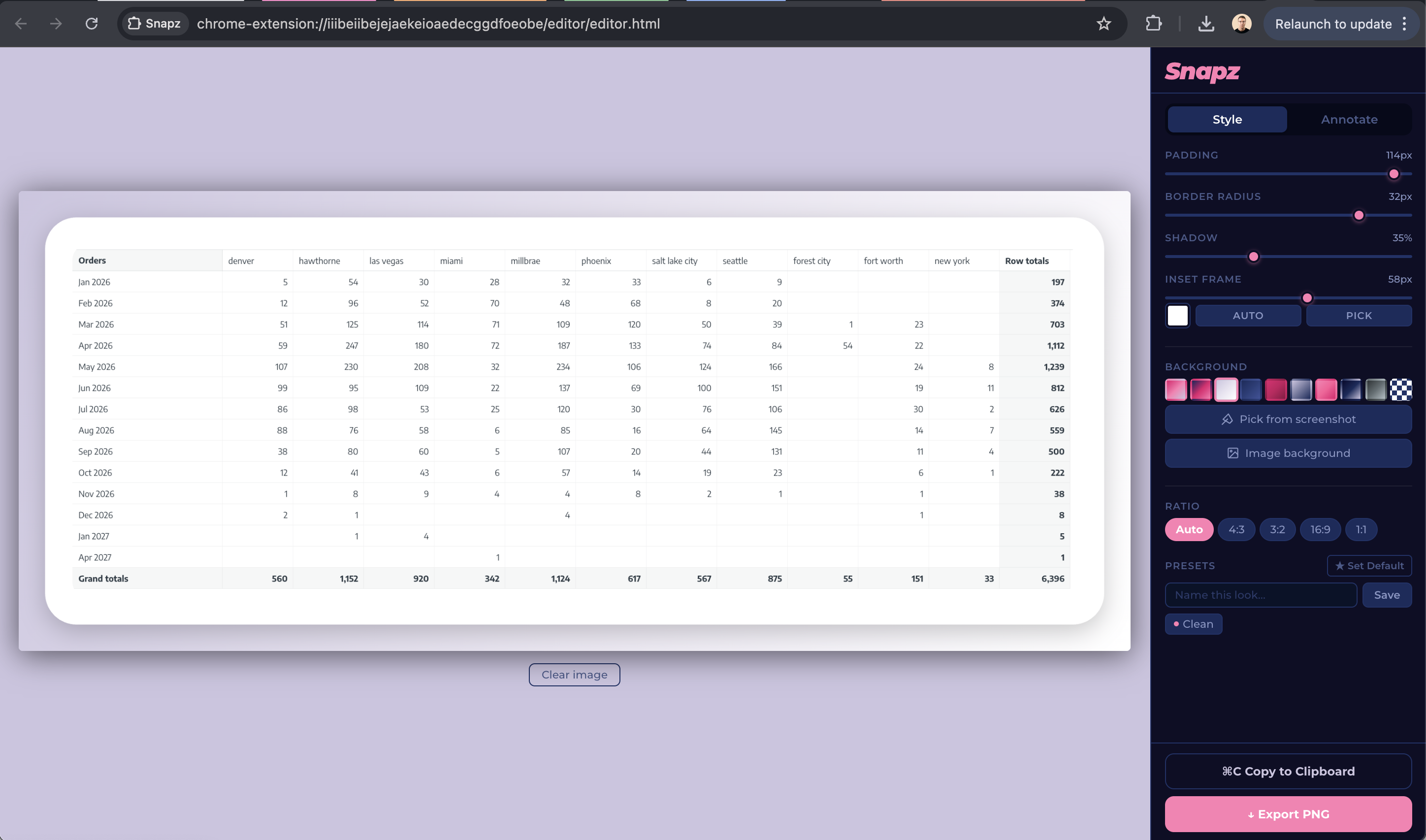
This is what sharing a screenshot normally looks like. Then this is what it looks like with Snapz.

❌  Without Snapz
Raw screenshot showing cluttered browser with many tabs, filter pills, and a raw data table
✨ Snapz it
✅  With Snapz
Screenshot beautified with Snapz — lavender gradient background, rounded corners, clean frame

Cluttered. Full of noise. Shows your entire desktop setup.

Clean. Focused. Ready to paste anywhere.

How it works

Install once. Use forever. No sign-up, no account, no friction.

1

Capture

Click the Snapz icon or hit your shortcut. Grab the full tab or draw a selection — pixel-perfect, instant.

2

Beautify

Pick a gradient, adjust padding and shadow, annotate what matters. Everything updates live as you drag.

3

Share

Export at the right dimensions for Twitter, LinkedIn, or Instagram — or copy straight to clipboard.

🔐

Your screenshots never leave your machine.

No servers. No tracking. No analytics. No accounts. Your data doesn't pass through anyone's infrastructure — not even ours. Open source and auditable.

Zero data sent No sign-up No analytics No servers Open source Local-first

Start taking better
screenshots today.

Free. Private. Instant. One install and you're done.